Clean 1099 Reporting Starts Early: Use a Supplier Portal to Validate Vendor TINs
1099 problems usually start long before January. If I wait until year-end to fix vendor tax data, I’m often too late. The better move is to collect W-9 details during onboarding, check the vendor’s legal name and TIN before approval, and stop payments until the record passes review.
Here’s the short version:
- For 2026, the 1099-NEC and 1099-MISC threshold is $2,000
- IRS penalties run from $60 to $340 per form
- Backup withholding can hit 24% when a TIN is missing or wrong
- W-9 response rates are above 95% at onboarding, but often drop to 40%–60% at year-end
If I want cleaner 1099 filing, I need to focus on a few things early:
- Collect the right W-9 fields: legal name, DBA, tax classification, address, TIN, and signed certification
- Check the name/TIN pair against IRS records before vendor setup is done
- Hold failed records in a review queue instead of letting them flow into Oracle
- Sync only checked data into the vendor master
- Recheck tax data during the year, especially after supplier changes
- Run a Q3 bulk TIN match to catch issues before filing season
What this comes down to is simple: clean 1099 reporting depends on clean vendor setup. A supplier portal is not just a form. It should work like a gate that blocks bad tax records before they turn into CP2100 notices, B-notices, corrected forms, and payment holds.
IRS TIN Matching: Avoid B Notices
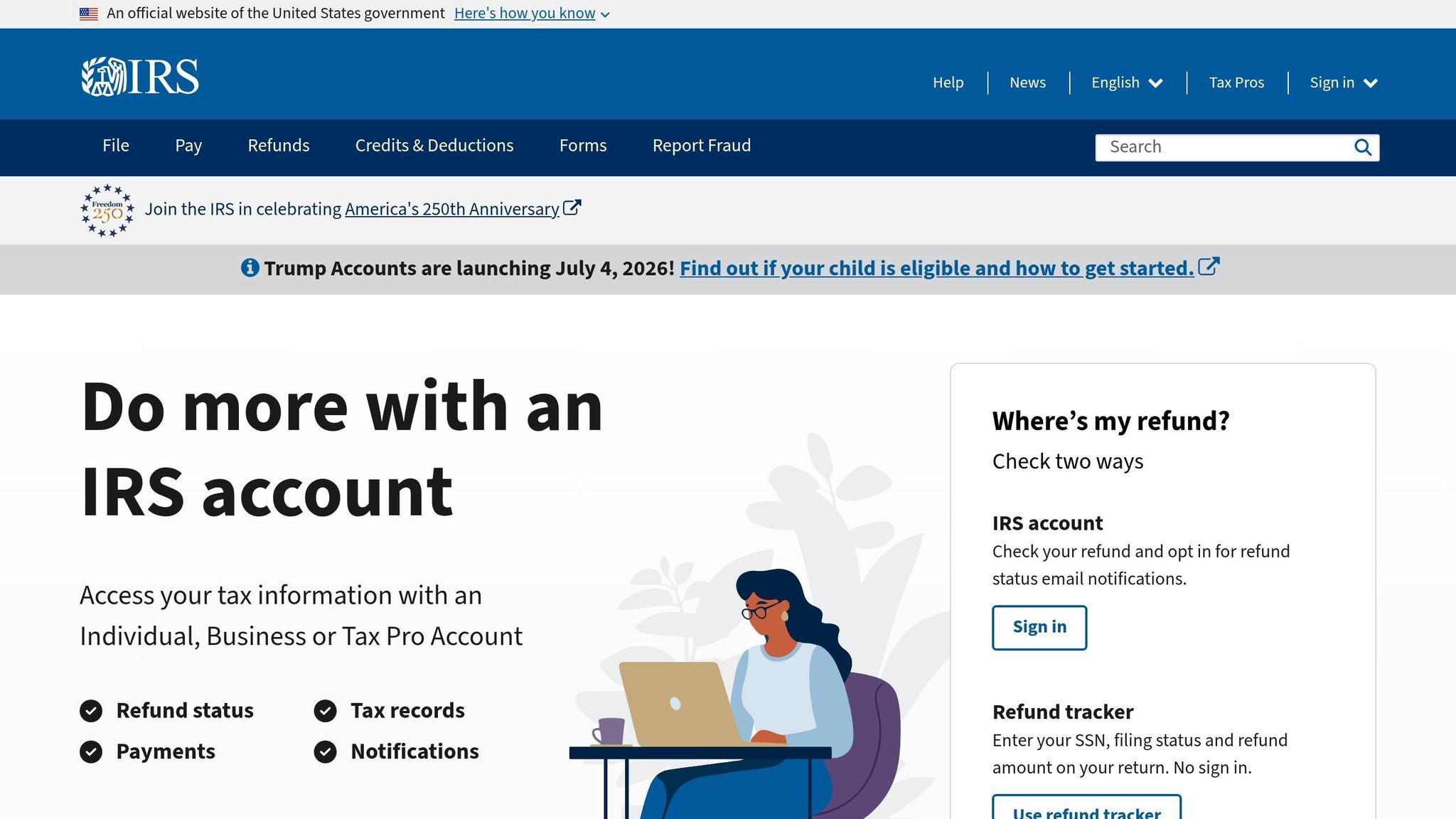
1099 and TIN validation requirements AP teams need to know
For the portal workflow, AP teams need a clear view of what data they collect and why it matters for compliance.
Required W-9 fields
Collect these W-9 fields in the portal before activating the vendor:
- Legal name: the name tied to the TIN in IRS records, not a trade name or DBA
- Business name or DBA: captured separately from the legal name
- Federal tax classification: determines whether the vendor is reportable for 1099 purposes
- Address
- TIN: an EIN, SSN, or ITIN
- Signed certification: confirms the vendor attests to the accuracy of the information
Tax classification affects whether the vendor is reportable for 1099 purposes. Many corporations are exempt, with limited exceptions.
Set up W-9 data as structured portal fields so AP can check it automatically and sync verified records into Oracle.
After these fields are in place, the portal can run name/TIN matching before the vendor moves to active status.
How mismatches trigger notices
IRS TIN matching checks whether the name and TIN pair match IRS records. It does not verify address, federal tax classification, or whether the individual is deceased. So yes, TIN matching matters a lot, but it doesn’t cover everything.
Use real-time matching during onboarding and bulk matching for periodic cleanup.
Common mismatches often come from simple setup errors. A classic one is using a DBA on Line 1 instead of the legal entity name. Sole proprietors need the name and TIN on the W-9 to match the taxpayer record used for filing. ITINs can cause problems too, because they expire after three consecutive years of non-use on a federal return.
If a filed 1099 includes a missing or incorrect TIN, the IRS may send a CP2100 or CP2100A notice. For a first B-notice, the vendor can self-certify on a W-9. If the same payee shows up again within three years, the second B-notice calls for official verification, such as IRS Letter 147C for an EIN or a Social Security card for an SSN. At that point, a W-9 is no longer enough. Missing or incorrect TINs can also lead to 24% backup withholding on future reportable payments.
Those match results should feed the exception workflow in the next step. Put simply, these inputs and match rules are the control set the portal uses to stop bad records before they reach Oracle.
How to build a supplier portal workflow that validates vendor TINs
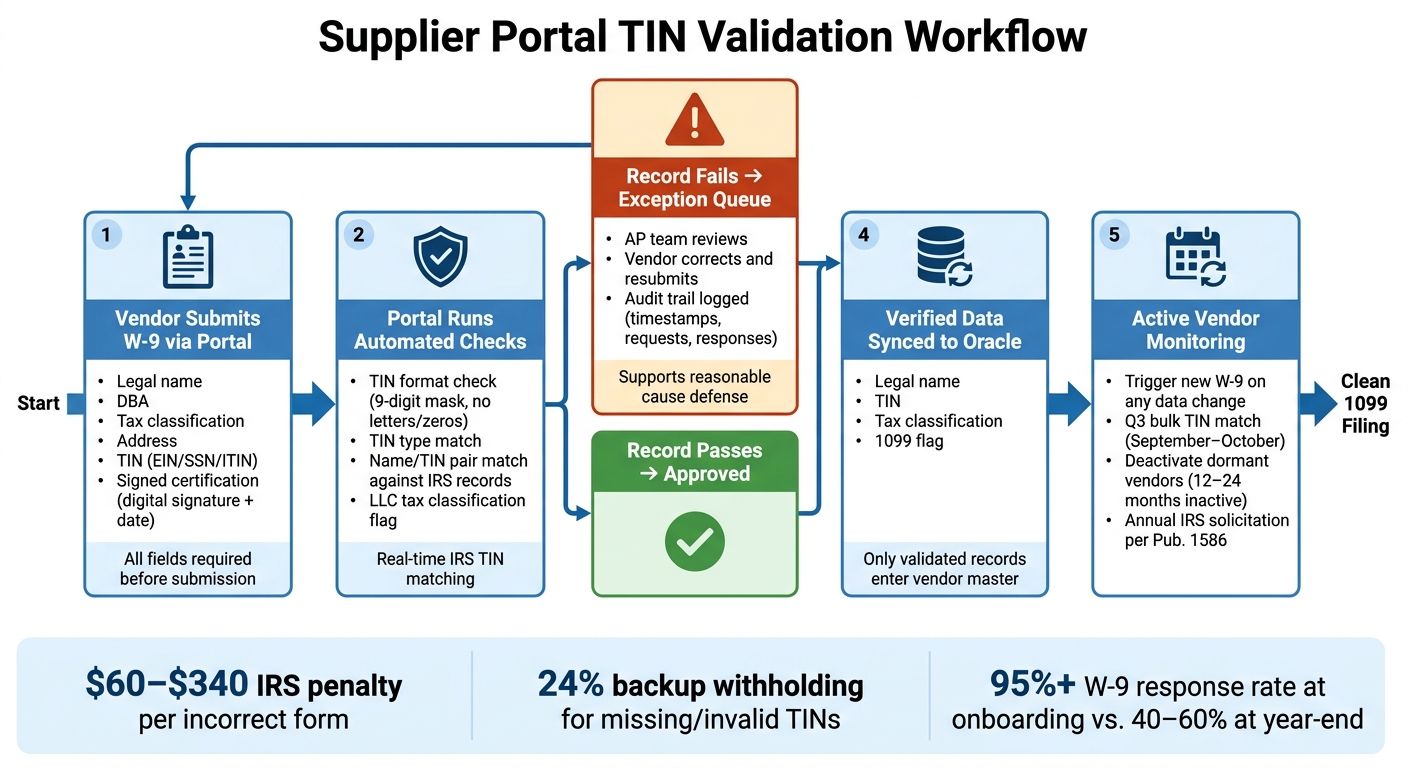
A supplier portal should act like a gate, not just another form. No vendor should move to active status in Oracle until tax data is collected, checked, and approved. That gate starts with structured data capture.
Collect W-9 data through required portal fields
Make every W-9 field required in the portal before a vendor can submit. If a vendor uploads a W-9 PDF, pull the data into structured fields and send it through review instead of treating the PDF as the record itself.
The portal should also require a digital signature and date on the certification. Unsigned W-9s are considered invalid by the IRS and weaken a reasonable cause defense if penalties are later disputed. Once that data is in the system, the portal can start testing it on its own.
Apply checks for missing, invalid, and mismatched tax records
Before a record moves forward, check the TIN format, TIN type, and name/TIN match. A 9-digit TIN mask blocks letters, short entries, and all-zero values. That alone stops a lot of bad data at the door.
You should also flag mismatched TIN types. And flag LLCs for tax classification review, since reportability depends on how they are taxed. If a record fails any of these checks, it should stop here rather than slide into Oracle and create a mess later.
Hold exceptions and sync verified data into Oracle
Send failed records to an exception queue for AP review and vendor correction. That gives your team a clear place to work issues instead of chasing them across email threads. It also creates an audit trail that shows a documented solicitation process and supports a reasonable cause defense.
Only sync validated records into Oracle, including the legal name, TIN, tax classification, and 1099 flag. That approach keeps year-end reporting clean and cuts out the usual January scramble.
Ongoing controls that cut year-end 1099 corrections
Onboarding is only the beginning. Vendor records can change during the year, and those changes can throw off 1099 accuracy fast. Legal names change. Entity status changes. Addresses change. TINs change too.
Once a vendor is active, the job shifts from collecting data to watching for changes.
Manage supplier tax exceptions throughout the year
Use the portal to reopen exceptions as soon as supplier data changes.
Under IRS Publication 1586, you need an initial solicitation at account opening, a first annual solicitation by December 31 for any missing TIN, and a second annual solicitation the following year. Following that process helps establish reasonable cause if a penalty notice shows up.
The portal should log requests, responses, and timestamps. Use portal messages and status queues to send W-9 requests, track vendor responses, and document each interaction. That gives you a clear audit trail instead of a messy email chain, which can help if you need to respond to IRS penalty notices.
If a vendor updates their legal name, address, entity status, or TIN in the portal, that change should automatically trigger a new W-9 request and TIN validation before the next payment goes out. That way, you catch the problem now instead of finding it at year-end.
Run a Q3 bulk TIN match in September or October. This helps catch mid-year vendor changes while suppliers are still likely to respond. You should also deactivate vendors with no payment activity in the past 12–24 months. Dormant records can clog your 1099 files and add fraud risk.
Controls checklist for improving 1099 accuracy
Focus year-round controls on the exceptions most likely to lead to year-end fixes.
| Control | Benefit | Implementation Effort | Impact on 1099 Accuracy |
|---|---|---|---|
| Q3 bulk TIN audit | Catches mid-year name and TIN changes before filing | Low (batch upload) | High |
| Automated 1099 box mapping | Reduces misclassification of reportable spend | Moderate (GL account mapping) | Moderate |
| Deactivation of dormant vendors | Reduces data clutter and fraud risk | Low (annual system query) | Moderate |
Missing or incorrect TINs can trigger 24% backup withholding.
Conclusion: Validate TINs early to avoid 1099 rework later
With those controls in place, year-end becomes a review instead of a scramble. AP teams that wait until December often end up dealing with filing errors they could have prevented. Portal-based onboarding, paired with steady TIN matching, helps keep filings clean before year-end.
Early W-9 collection cuts down on B-notices, backup withholding, and the January cleanup that nobody wants.
Validating a vendor’s TIN at onboarding can help stop fictitious vendors, avoid backup withholding tied to missing or invalid TINs, and lower penalty exposure.
When verified tax data moves from the supplier portal into Oracle, AP spends less time fixing records at year-end. That leads to fewer corrections, fewer held payments, and a cleaner year-end filing cycle.
The deadline doesn’t move. The work that makes it manageable starts at onboarding.
FAQs
When should we validate a vendor’s TIN?
Validate a vendor’s Taxpayer Identification Number (TIN) at three key points:
- During initial onboarding, before you send any payments
- Any time the vendor reports a change, such as a legal name, business structure, or EIN update
- During a database sweep between May and December, ideally in Q3, so you can fix mismatches before January filing
What happens if a vendor’s name and TIN do not match?
If a vendor’s name and Taxpayer Identification Number (TIN) don’t match IRS records, you get a no-match result. That issue needs to be fixed to stay compliant.
Here’s the standard response:
- Hold payments
- Request a corrected W-9 within 15 business days
- If the issue still isn’t fixed, start 24% backup withholding on future reportable payments
If the mismatch stays unresolved, it can also trigger IRS B-notices (CP2100 or CP2100A) and possible penalties.
How often should AP recheck vendor tax data?
AP should recheck vendor tax data at a few key moments:
- During new vendor onboarding, before any payments go out
- Once a year, ideally in Q3 or early Q4
- Any time vendor details change, such as the legal name, business structure, entity type, address, or TIN
- Right after receiving an IRS B-notice
Related Articles
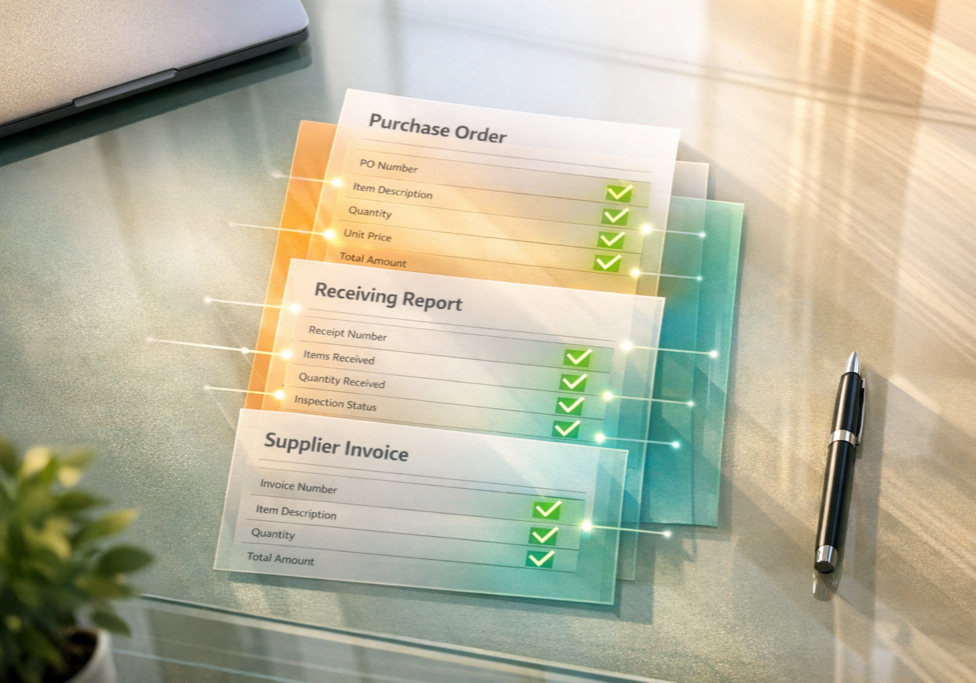
What Is Three-Way Matching in Accounts Payable?
June 2, 2026 Three-way matching is a process in accounts payable that verifies supplier invoices...
What Does “Out-of-the-Box” Mean?
April 7, 2026 In recent conversations with several prospects, we learned that they are implementing...